


For many graduate students, presenting their research is a daunting task. How do you cram your months' worth of data collection and analysis into a 10- to 20-minute presentation? Deciding what information to include and how to organize it can be more stressful than actually giving the presentation.
But anyone filled with presentation anxiety should remember that the difficult part is already over once it comes time to present. No one knows your research better than you, and those who come to listen to your presentation are probably there because they are interested in your research, not because they are required to be there. Taking this perspective can make presenting your research much less stressful because the focus of the task is no longer to engage an uninterested audience: It is to keep an already interested audience engaged.
Here are some suggestions for constructing a presentation using various multimedia tools, such as PowerPoint, Keynote and Prezi.
Planning: What should be included?
First, it is always important to refer to the APA Publication Manual as well as to your specific conference's guidelines. Second, before you start building any presentation, consider your audience. Will it be scientists who are familiar with your research area or will it be people who may never have had a class in psychology? Based on the answer, you will want to make sure you structure your presentation with the appropriate depth and terminology.
Determining the main messages you want to communicate in your presentation is often the next step in organizing your thoughts. As you create your presentation, sometimes it is difficult to determine whether a particular piece of information is important or necessary. Consider the value added by each piece of content as you determine whether to include it or not. Often, the background and theory for your research must be presented concisely so that you have time to present your study and findings. Ten minutes is not much time, so emphasize the main points so that your audience has a clear understanding of your take-home messages. When you start planning, writing out content on individual Post-it Notes can be a great way to visually organize your thoughts and, ultimately, your presentation.
Building slides: The do's and don'ts
After you've decided on your content, the real fun begins: designing slides. There are no rules for how to build a slide, but here are a few suggestions to keep in mind:
Tell your story simply
Remember that you want to tell a story, not lecture people. The oral presentation as a whole should be the work of art, and the slides should be supplementary to the story you are trying to convey. When laying out content and designing slides, remember that less is more. Having more slides with less content on each will help keep your audience focused more on what you are saying and prevent them from staring blankly at your slides.
Consider the billboard
Marketers try to use only three seconds' worth of content, the same amount of time a driver has to view a billboard. Your audience may not be driving cars, but you want them to stay engaged with your story, and this makes the three-seconds rule a good one to apply when building a slide. If it takes more than three seconds to read the slide, consider revising it.
Keep it clean
White space will help the slide appear cleaner and more aesthetically appealing. It is important to note that white space may not always be white. Each presentation should have its own color palette that consists of approximately three complementary colors. Try not to use more than three colors, and be aware of the emotion certain colors may evoke. For example, blue is the color of the sky and the ocean and is typically a soothing and relaxing color; red, on the other hand, is a bold, passionate color that may evoke more aggressive feelings.
Don't get too lively
Animation is another customizable option of presentations, but it may not be worth the effort. Animation can be distracting, making it difficult for the audience to stay with the story being told. When in doubt about animation, remember to ask what value is being added. There may be times when you really want to add emphasis to a specific word or phrase. If this is the case, and you deem it necessary, animation may be an acceptable choice. For example, the "grow" feature may be useful for adding emphasis to a word or phrase.
It is important to have highly readable slides with good contrast between the words and background. Choose a font that is easy to read, and be aware that each font has a different personality and sends a different message. The personality of some fonts may even be considered inappropriate for certain settings. For example, the font Comic Sans is a "lighter" font and would most likely not be a wise choice for a presentation at a conference.
Other important considerations include typesetting and the spacing of letters, words and lines. These all affect readability but can also be used as a way to add emphasis. Sometimes you may feel a need to use bullet points. Do not. Typesetting can replace bullet points and add extra distinction to each line of content without cluttering the slide with bullets. For example, consider bolding and increasing the font size of parent lines and indenting child lines.
If you find that your slides contain mainly words, remember that a picture, chart or diagram can augment the text. People often depend on vision as their primary sense; this means your audience has a potential preference for visual information other than just words on the screen.
Presenting data: Think about what kind of graph is best
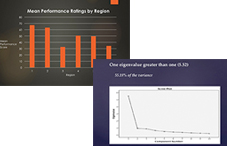
When you share information, specifically about data, bar graphs should usually be your first choice, with scatter plots a close second because they are simple. The same suggestion about having more slides with less content on each applies to charts and graphs. If the graph or chart will look cleaner as two graphs instead of one, use two graphs.
Accuracy of a graph is, of course, important. For example, it is easy to convey the wrong message simply by altering the range of the y-axis. A restricted y-axis can make the differences between groups look much larger than they actually are to those audience members who do not look closely. It is always important to be ethical and to ensure that information, especially about data, is not being misrepresented. Strive to make charts and graphs easily interpretable, and try not to clutter them with additional numbers.
Building presentations does not need to be a challenge. Presenting should be an opportunity to share with others something very important to you — your research. These suggestions can be used as a starting point to guide the development of future research presentations and to help relieve some of the stress surrounding them.