Once logged into the APA Communityopens in new window, go to your division groups. Next to “Live Feed,” there is “Forums.” Click on “New discussion,” and you are on your way to a new forum.
Below are a few potential uses for this feature that divisions are most likely to use:
- Events: If your division has an upcoming conference, meetup, or looking to speak about APA 2025, create a forum for it. This is a great space to keep all information and discussion in one place for your members. Remember when naming the forum to make sure it is plainly about your event to create no confusion with another event or topic.
- Specific member groups: Forums can provide space for students, ECPs, diverse member groups, sections, SIGs, or other specific member groups to have devoted space for discussions.
- Specific topics: Many divisions have topics within their overarching subject matter. Create a forum for various topics members may want to further discuss, share articles, or keep up with updates.
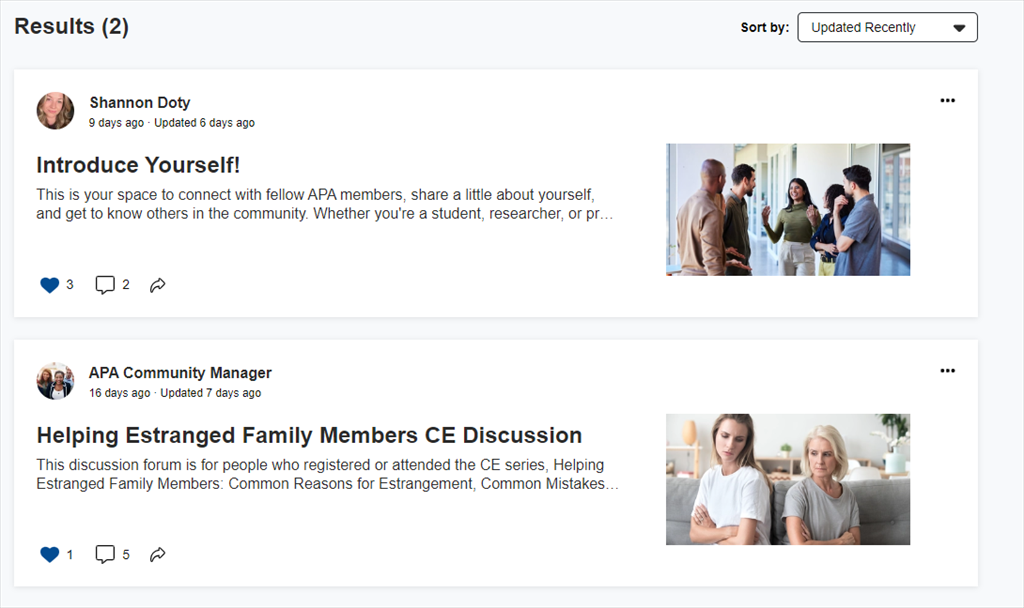
See an example of this at work in the APA Community. If you have a membership in APA, you can click on Forums in the menu across the top of the screen, and you will see forums for APA members like the ones in the screenshot below. You may find it helpful to have a forum for introductions or for discussion from a webinar.