

This information is prepared by the APA Division Engagement Office staff. You are free to share it with others.
In this addition to our series of share-worthy Listserv tips, we’ll explore how to navigate the top three reported difficulties encountered while using APA-hosted Listservs:
- “I have lost access to my old email account. Can I still change my email address for the Listserv using the steps described online?”
- “Why am I receiving an error message that says I am not allowed to post to my division’s Listserv?”
- “Why am I receiving an error message that says I cannot unsubscribe?”
Losing access to an old email account
If you have lost access to your old email account and need to change your email address for a Listserv, there are two scenarios:
- If you created a Listserv login under your old email address and you remember your password, you will still be able to use your old login on the Listserv websiteopens in new window to change your email address, even if you no longer have access to that email account. (See Fig. 1)
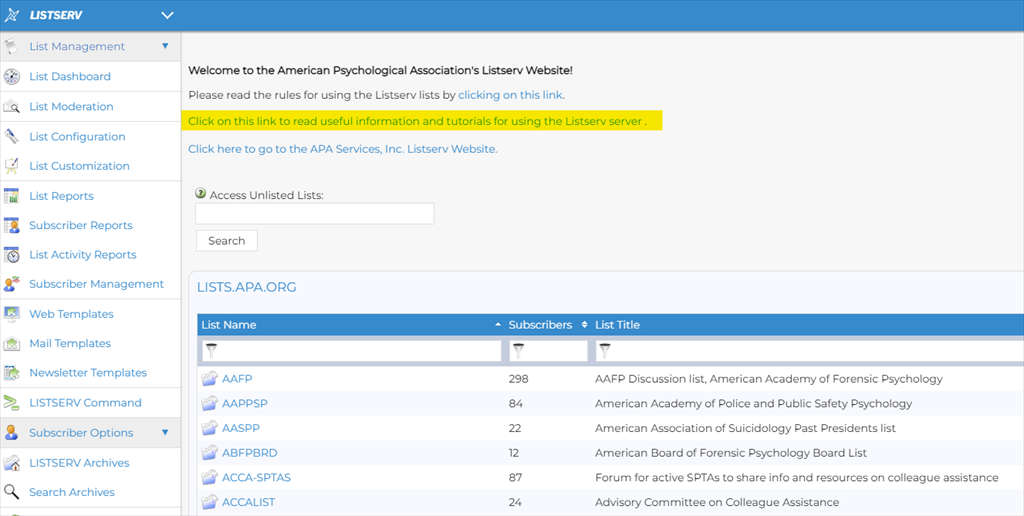
Fig. 1: Click on the link to get help with setting up a login and password.
- If you did not create a Listserv login under your old email address, you will not be able to change your email address. The login under the old address is used to find the old Listserv subscriptions. If you find yourself in this situation, email the Division Engagement Office to get help with your Listserv change-of-email. Please be sure to specify that you cannot access your old email account and you did not set up a Listserv login using your old email address. Once you are re-subscribed with your new email address, be sure to set up your Listserv login to be ready for future changes.
Getting messages that you are not authorized to send mail or to unsubscribe
“Am I a subscriber to this Listserv?” This is the first question to ask yourself if you send an email to a Listserv and you get a reply that you are not authorized to send mail to the Listserv. (See Fig 2.)
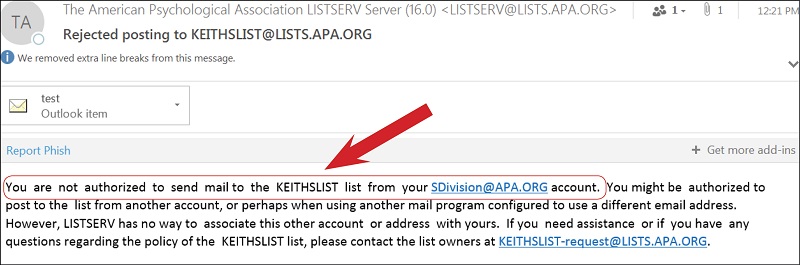
Fig. 2: This email lets you know that the email account you used to send your message is not subscribed to the Listserv.
- Make sure you have the right Listserv. Divisions may have several different Listservs with similar names. It is easy to mistake one Listserv for another as you type in the address to send an email to a Listserv. (See Fig. 3.) You can identify which Listserv has sent you a message by looking at the bracketed text that comes first in the “Subject” line of the email message. You can also see which Listservs you are subscribed to under Subscriber Options > Subscriptions in the menu down the left side of the screen. (See Fig. 4)
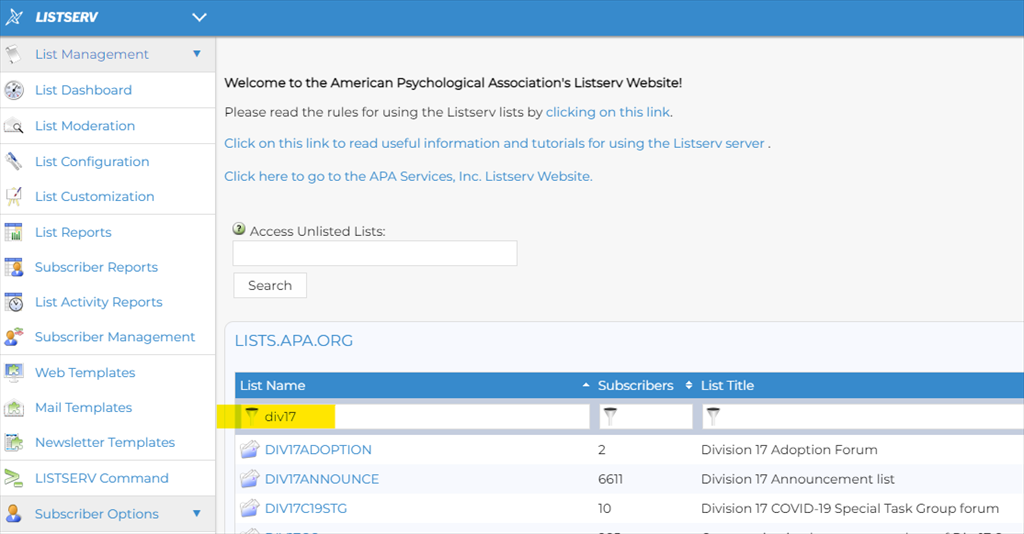
Fig. 3: You can type “div” and the division number or other text as needed to find listserv names that include those characters.
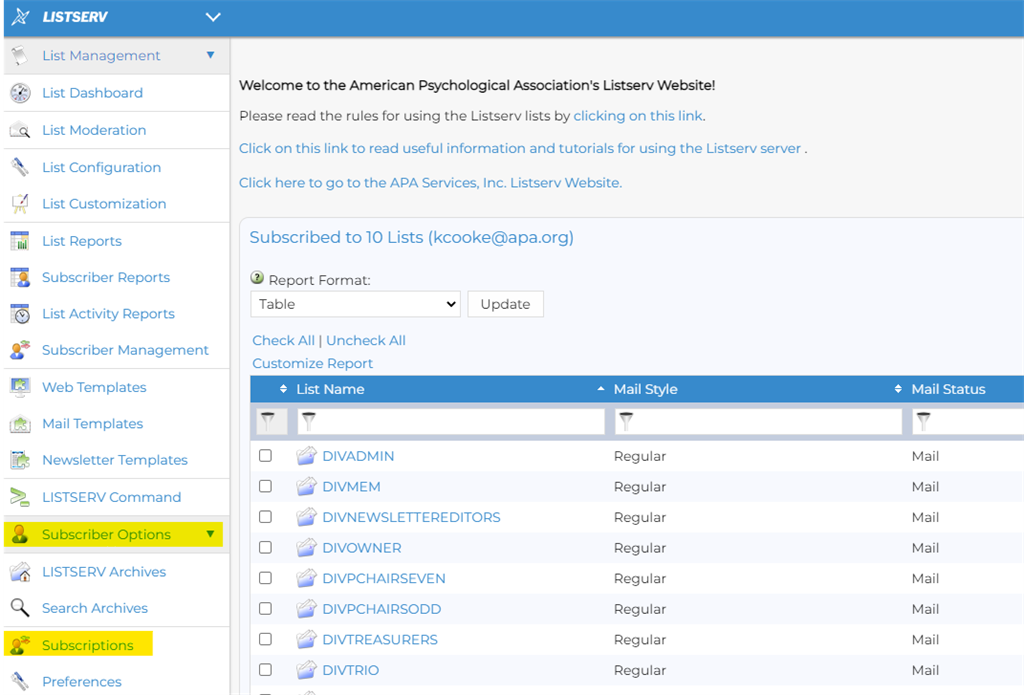
Fig. 4: Click on Subscriber Options > Subscriptions to find the listservs you are subscribed to.
- You may need to sign up for the Listserv if you haven’t already. A moderated Listserv can receive posting requests from anyone because the moderator can individually review each request. Your division may even have enrolled you in its moderated (also called announce) Listserv as part of your new member welcome. For unmoderated (also called discussion) Listservs, however, you will need to opt in or subscribe to the Listserv in order to get and post emails.
“Am I using the same email address that is subscribed to the Listserv?” This is the next question to consider if you are sure that you are already a subscriber to the Listserv because you can see that other messages from the Listserv have been delivered to your email inbox or you can see the subscription listed in the “Subscriptions” tab.
- The email address your message is “from” must be identical to the one by which you subscribed. While your own email server might be able to recognize you under several different “alias” versions of your email address (and can forward these messages to your inbox), APA’s Listserv system is only able to recognize you by your exact subscriber address.
- Requests to unsubscribe must come “from” the same email address. Similarly, you might receive an error message when you click the unsubscribe link at the bottom of an unwanted message and your email address does not match. (See Fig. 5.) If you receive an error message when you try to unsubscribe, simply reply to the error message and ask for help unsubscribing. Your reply will automatically be addressed to the Listserv manager.
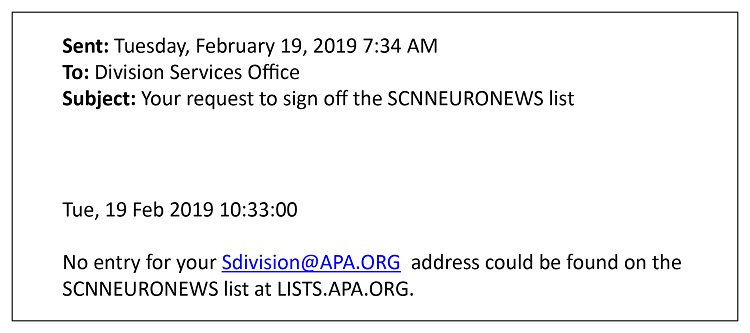
Fig. 5: Clicking on the unsubscribed link at the bottom of an email may result in a message like this if your email address does not exactly match the one subscribed to the Listserv.