

This information is prepared by the APA Division Engagement Office staff. You are free to share it with others.
Your division’s Listserv list is an electronic mailing tool that can automatically distribute an email message to every subscriber of that Listserv list. When you send a message to the Listserv list, you only have to type in one email address to send your communication to all of your division colleagues who are subscribed to the Listserv list. Let’s review some basic know-how for sending messages on APA-hosted Listservs.
How to find a Listserv. On APA’s Listserv server, most division Listserv names start with DIV and the division number, such as DIV1ANNOUNCE. You can find an alphabetically arranged list of APA-hosted listservs lists when you open APA’s Listserv portalopens in new window. You can tell that a Listserv is hosted on APA’s Listserv server by examining the email address — those addressed in the style of “[Listserv list name]@lists.apa.org” are hosted by APA. (See Fig. 1.)
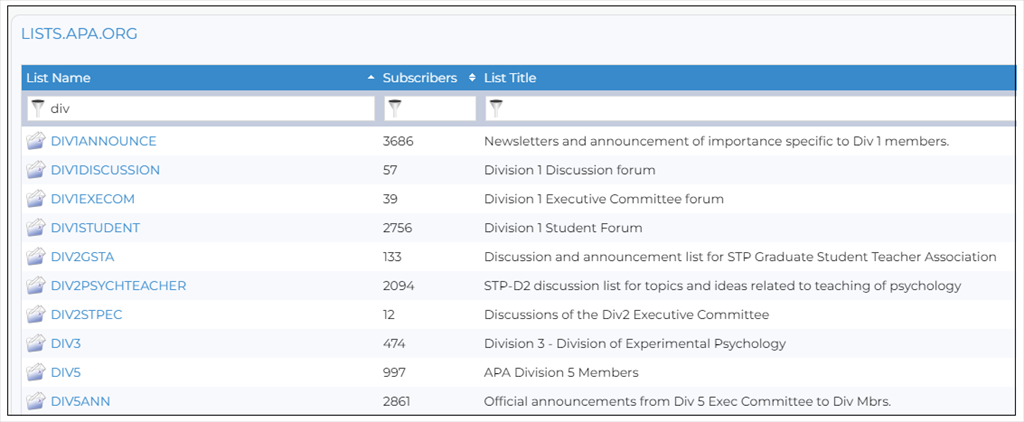
Fig. 1
How to address a message to a Listserv. Simply use the Listserv list’s name in front of @lists.apa.org. For example, to email a message to the DIV17ANNOUNCE Listserv list, address your email to DIV17ANNOUNCE@lists.apa.org. Send your messages from the email account by which you are subscribed to the Listserv list, because Listserv lists are set up to recognize subscribers by their email address. The Listserv server will reject your message if you send it from an unrecognized email account. (See Fig. 2.)
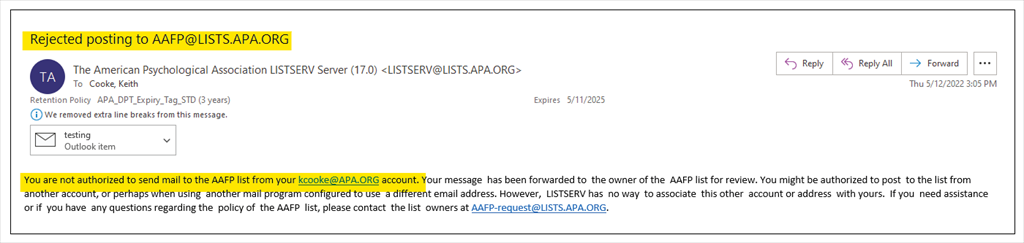
Fig. 2
In acknowledgement of your submission to the Listserv list, the system may send you a confirmation link to click to prove that you are a person and not a machine sending bulk, junk email (i.e., spam). Or if the Listserv is set up for moderation, the system may send you a message acknowledging that your post has been received and forwarded to the moderator. This means that your message will not be posted until it has been reviewed and released by the moderator. (See Fig. 3 and Fig. 4.)
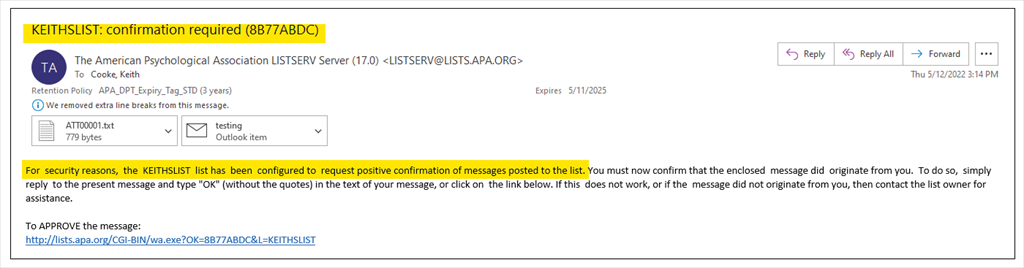
Fig. 3

Fig. 4
Each Listserv list has been set up in the way specified by the division and will have a style that is discernable to its subscribers. If the Listserv list is primarily used to send announcements of division business, with no back and forth commentary from subscribers, a moderator will assist to maintain this style of posting. Or the Listserv list might be set up to automatically recognize subscribers and allow instant posting for back and forth sharing and discussion. APA’s Listserv usage rules can be found online, and all Listserv users are asked to review and follow these rules. The Listserv usage rules protect the Listserv environment and also protect APA’s nonprofit tax status.
How to use the Listserv archives. You can use the Listserve archives to review the posts that have been made to the Listserv list. When you log in online using your recognized email address, you will have the ability to see the archives for the Listserv lists to which you are subscribed. Click on the Subscriber Options menu item on the left side of the screen to get the menu, which includes Subscriptions. You will then see a display of the listservs you are subscribed to on the right.(See Fig. 5 and Fig. 6.)
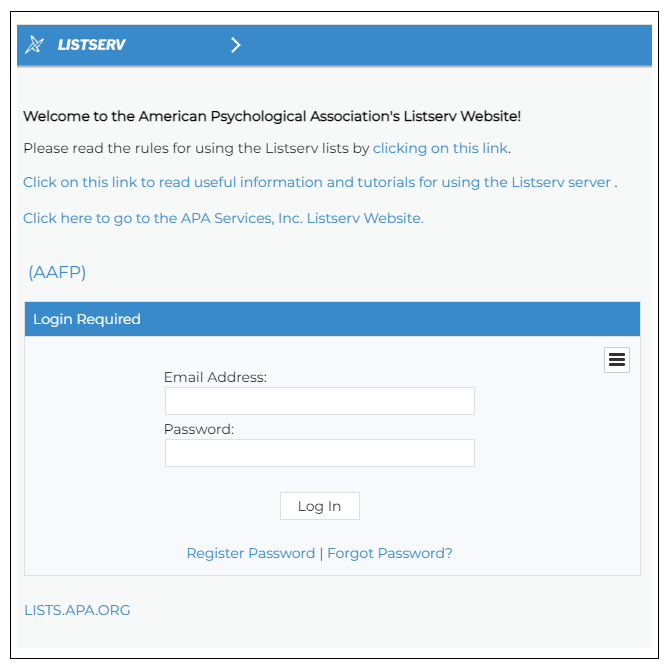
Fig. 5
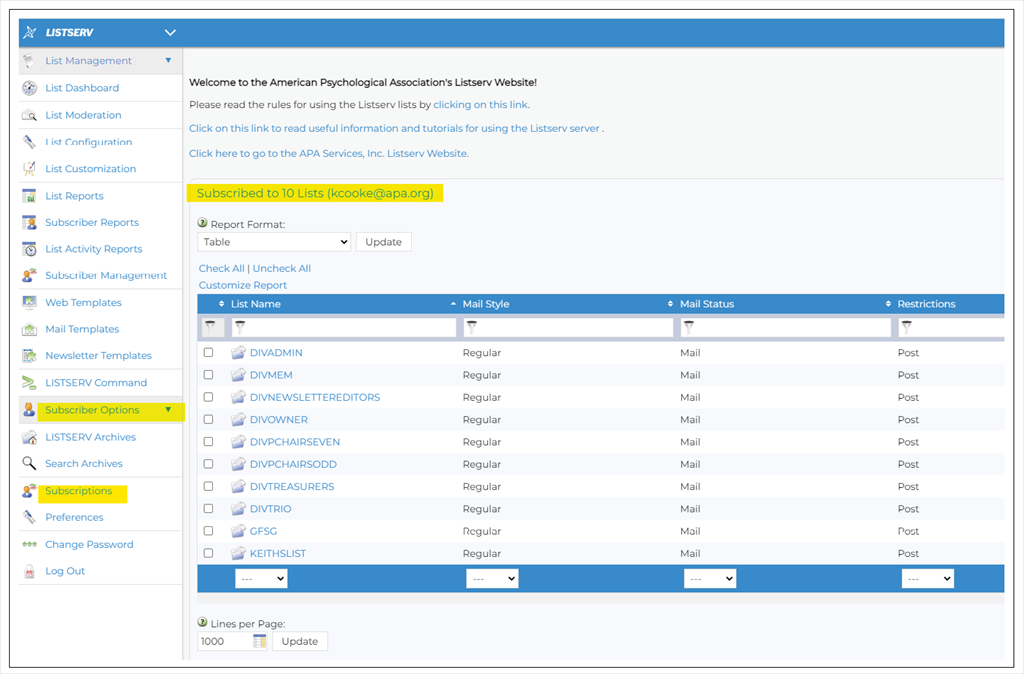
Fig. 6
Once logged in, click the Listserv list name from the alphabetical list. Your dashboard view will show the latest messages. Click on one of the subject lines to open the message. To search the archives, click on the “hamburger” icon on the far right side of the screen to get the options menu, which includes Search Archives. (See Fig. 7.) You can also type in search information in the boxes above the messages. There are 3 boxes labeled “Subject”, “From”, and “Date” that can be used to do a real time search for any matching information you type in one of the boxes. For example, If you wanted to see all of the messages that were posted by a single individual, you would type that individual’s email address in the “From” box and you’ll be shown all of the messages from that email address. You can also use the search boxes to search using partial information. If you wanted to see all of the messages sent to the list with “Upcoming meeting” in the subject, you would type “Upcoming Meeting” in the “Subject” box and you’ll be shown all of the messages with “Upcoming Meeting” in their subject line. Please note, you must remove the search information from the search boxes to go back to seeing all of the messages in the Listserv list’s archived messages.
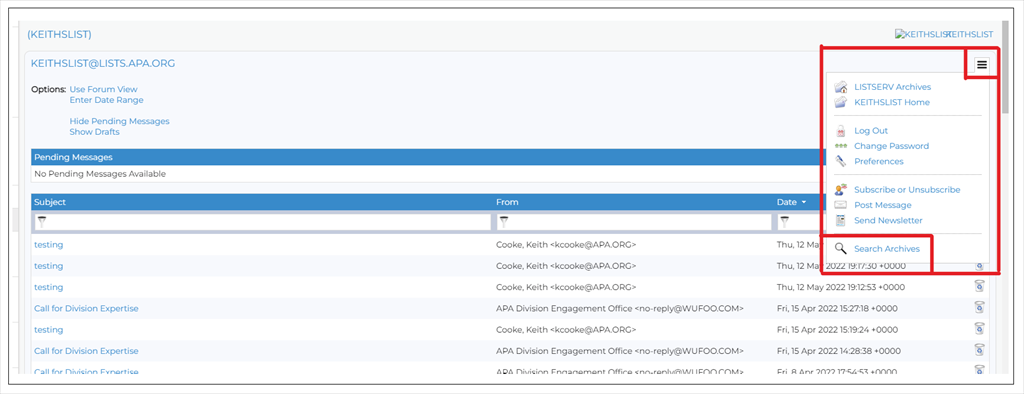
Fig. 7
How to reach the Listserv’s list manager. To send a question or to request help, address your email in the style of [Listserv list name]-request@lists.apa.org. For example, to email a question to the manager of the DIV17ANNOUNCE Listserv list, you should address your email to DIV17ANNOUNCE-request@lists.apa.org. (See Fig. 8.)
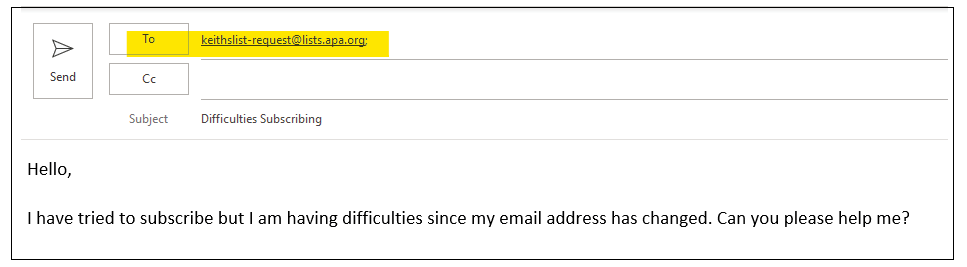
Fig. 8